Home
›
Your needs
›
Field reporting
Field reporting · Symalean mobile app

QHSE field reporting : from declaration to action

A field report is an alert made by an operator from their workstation or job site : near-miss, hazardous situation, non-conformity, or improvement idea.
With Symalean, every report is sent from a phone in one minute, arrives qualified at the QHSE manager's desk, and becomes an action tracked until its closure.

Field reports, information feedback, alerts, incident reports: the terminology varies by company, but the goal remains the same. Getting information from the workstation to the QHSE manager quickly enough to act before an accident occurs.
In an ISO 45001 approach, these reports also serve as evidence: they demonstrate that employees are involved in prevention and that every incident is analyzed. Symalean centralizes them in the Safety module, with a history by site and by team.

Read more ↓
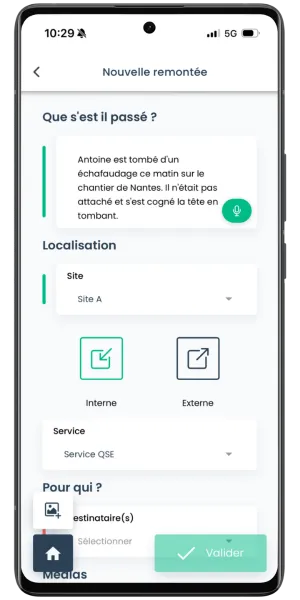
Field reporting on the Symalean mobile app: report with photos, weather, and location in the QHSE software
Over 250 companies use Symalean for their field reporting
Logo Arcelor MittalLogo Eliorveolia logoLogo Vinci EnergiesLogo OCDELogo EDF solutions solairesLogo DaherLogo Heidelberg MaterialsLogo client thyssenkruppLogo client geodisLogo Derichebourg : client SymaleanLogo Ineoslogo mesealogo sopremaLogo client la boulangère
The process

The field reporting process with Symalean

Four steps, four stakeholders. Everyone sees what concerns them, at the right time.

01
Field operator

Report in one minute from the field

The operator opens the Symalean QHSE mobile app, chooses the type of report, and describes what they see. The form adapts to your site and your categories.

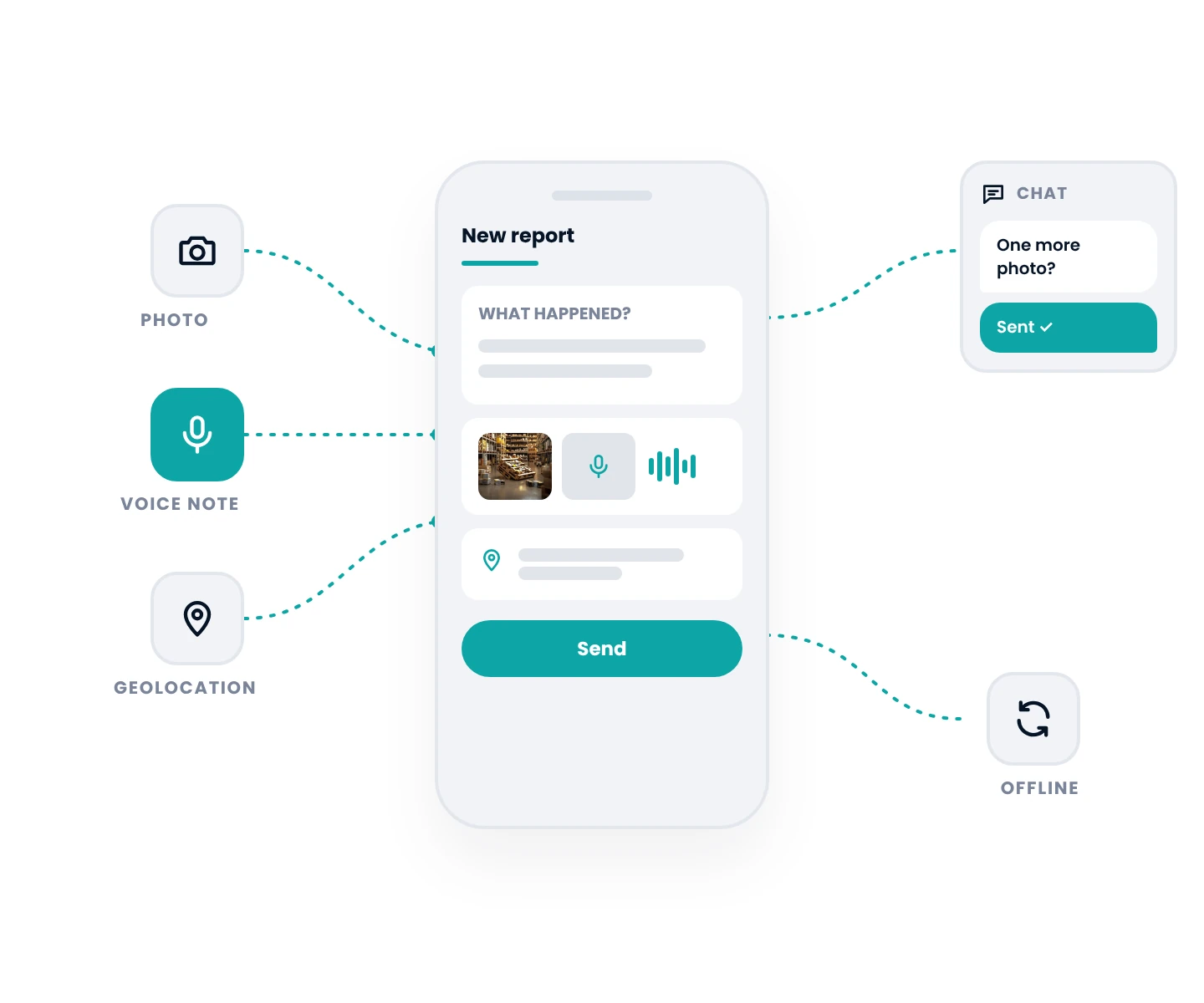
  • Photo, video, or voice note attached
  • Geolocation and weather added automatically
  • Works offline, syncs when the connection returns

A useful report answers four questions: what, where, when, and who is involved.
The app asks these in order, using site-specific lists to minimize free-text entry. If there is no network, the report is saved on the phone and sent as soon as the connection is restored: the reporter doesn't have to do anything else.
Read more ↓
Submitting a field report on the Symalean mobile app with photo, voice note and geolocation, even offline
02
QHSE Manager

Communicate directly with the reporter

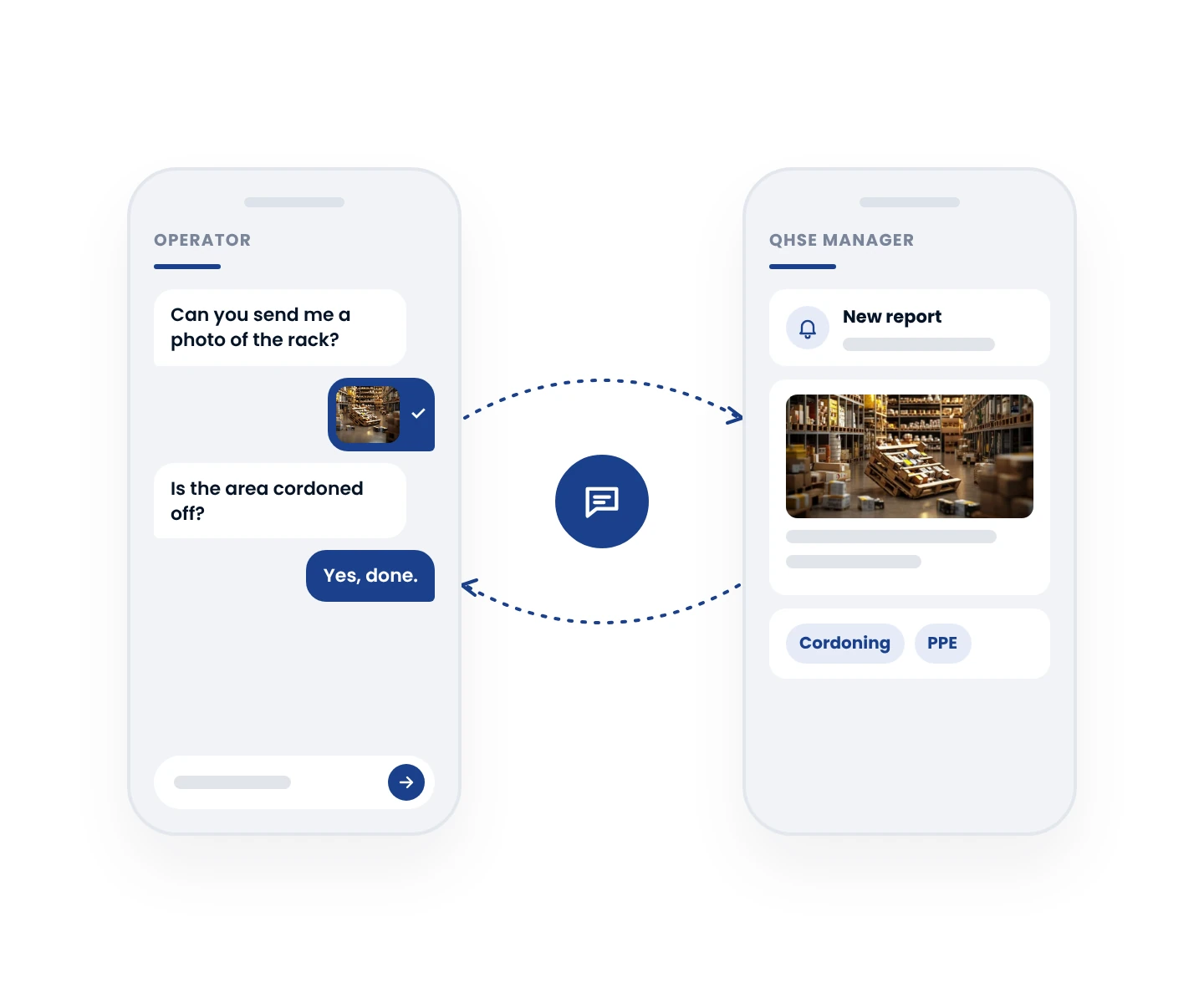
The QHSE manager receives the report and responds via instant chat, just like a messaging app, but within a tracked system.

  • Request an additional photo or clarification
  • Remind someone of instructions: marking, lockout/tagout, PPE
  • Confirm the area has been secured

Written communication avoids back-and-forth phone calls and keeps a record of every instruction.
In the event of an audit or post-accident investigation, you can see who requested what and when the area was secured.
Read more ↓
Instant chat between the operator and the QHSE manager on mobile to complete a field report
03
SymAi, AI agent

SymAi classifies the report

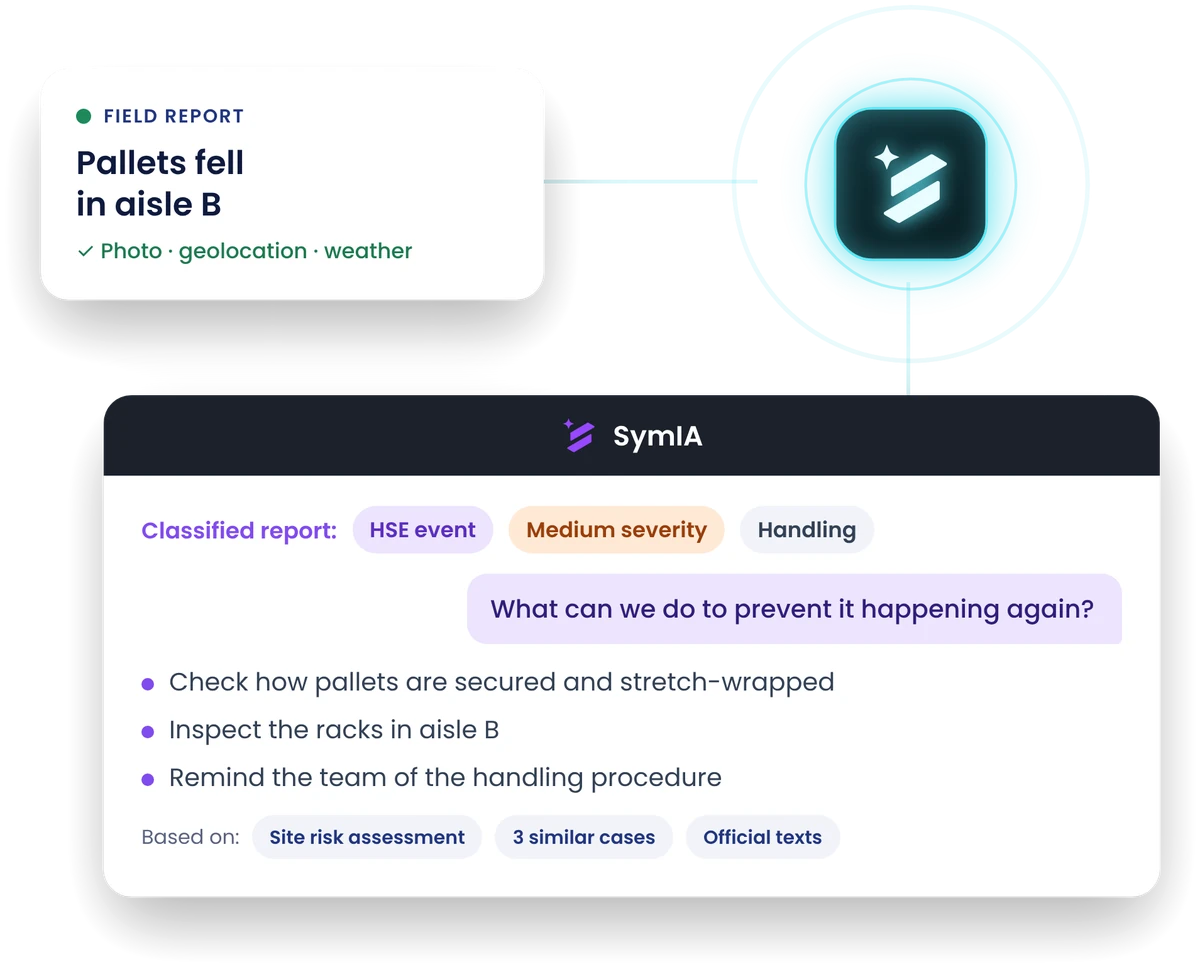
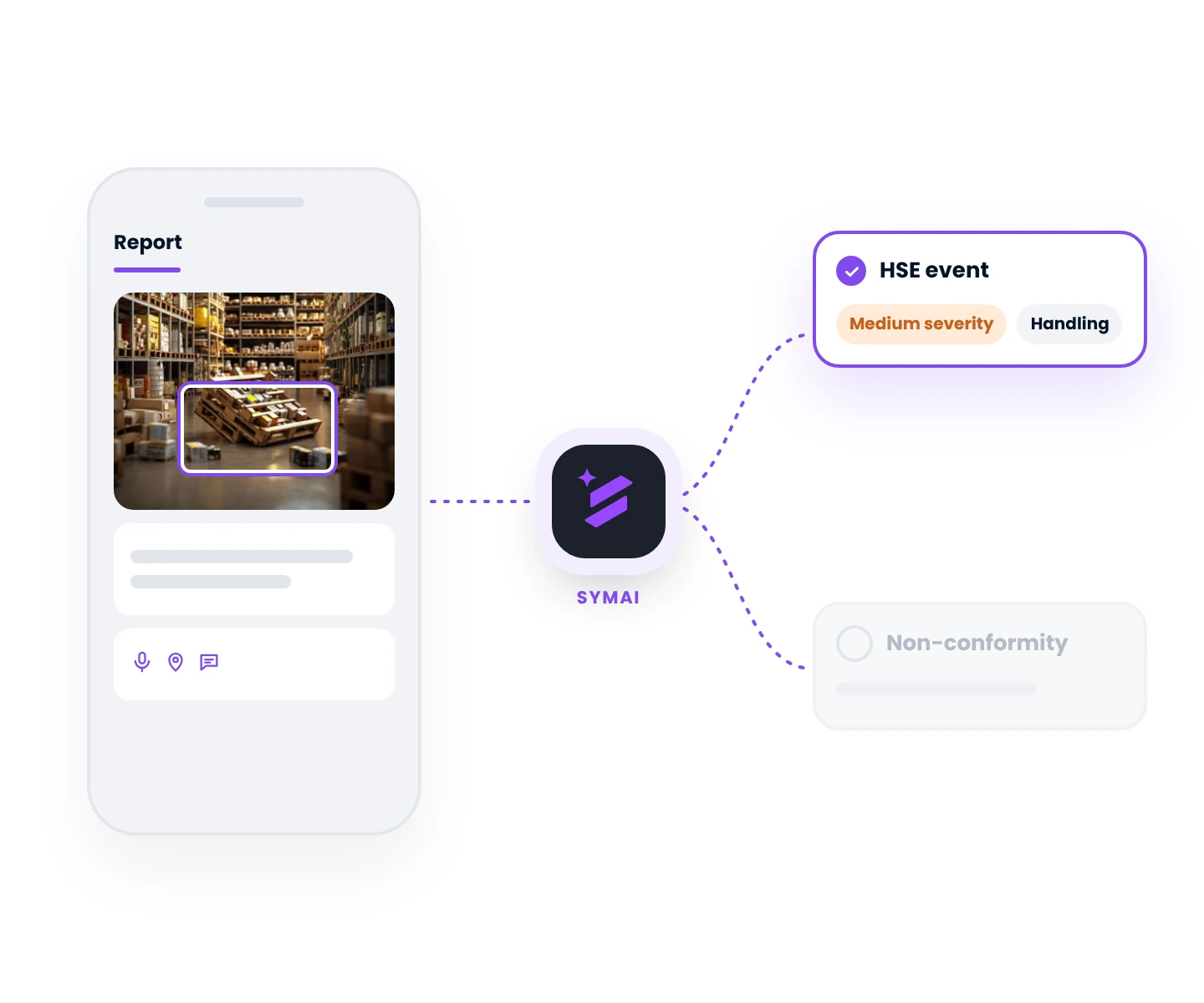
The Symalean AI agent reads the report, photos, and conversation, then proposes a classification. The QHSE manager validates or corrects it.

  • EHS event or non-conformity
  • Category and severity level
  • Summary ready for processing

The classification determines the next steps: an EHS event triggers root cause analysis and safety follow-up, while a non-conformity triggers quality processing.
SymAi uses the description, photos, and site history to suggest the type and severity. The final decision always rests with the QHSE manager.
Read more ↓
SymAI analyses a photo of fallen pallets and classifies the field report as an HSE event
04
The entire team

Process, track, and close

Every report becomes a complete file, from the initial notification to the final action.

  • Corrective actions assigned with deadlines and reminders
  • PDF report generated in one click
  • The reporter is notified upon closure

Every action has an owner, a deadline, and a status. The PDF report includes the initial declaration, photos, correspondence, and actions taken: it is ready to be shared in health and safety committee meetings or management reviews. The person who filed the report sees that their input made a difference, which encourages them to report again in the future.

Read more ↓
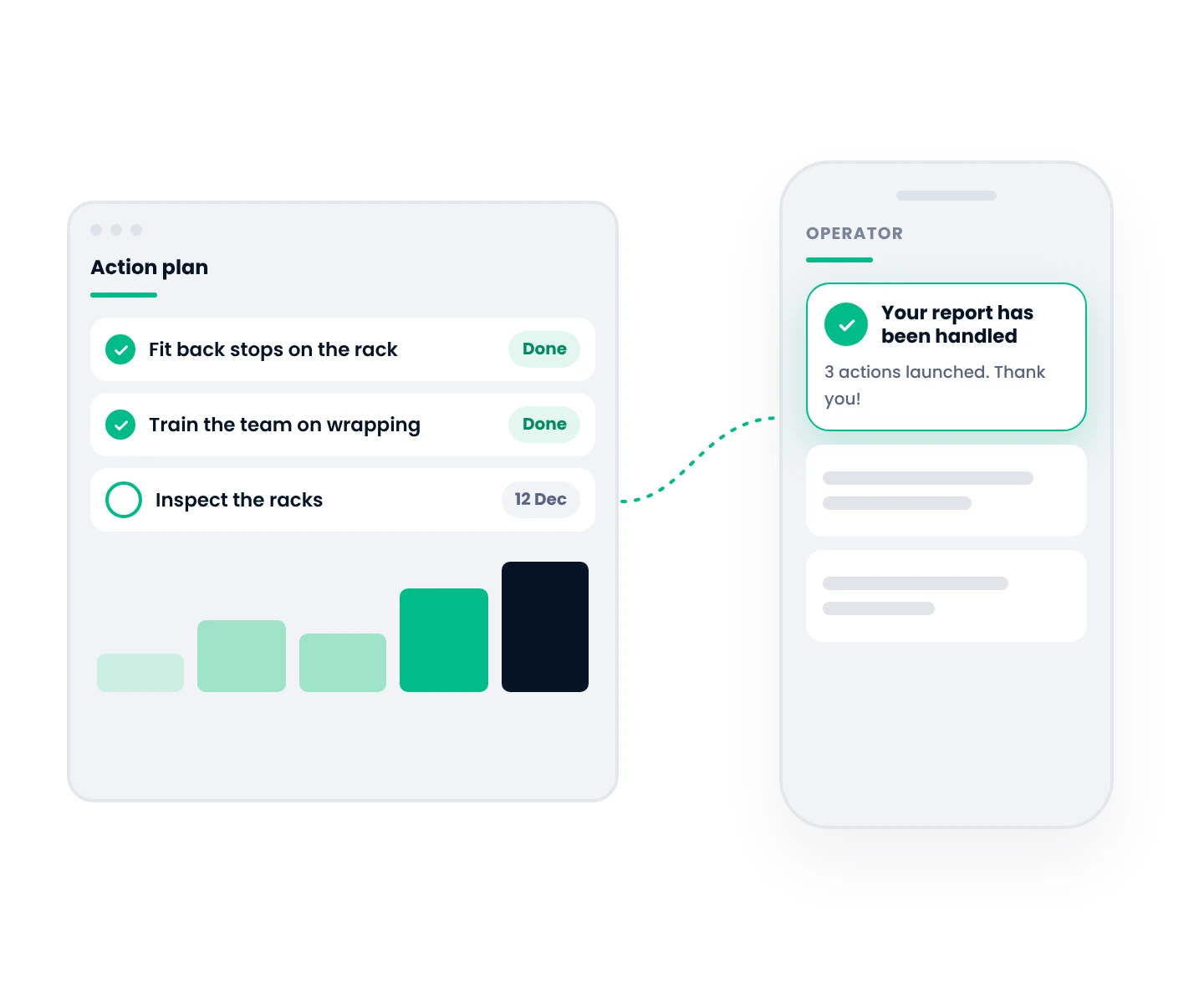
Action plan for a field report in Symalean and closure notification sent to the reporter on mobile
What you can report

Everything your teams can report

Forms are custom-configured based on your sites, your business lines, and your standards.

Simple classification helps field teams make quick decisions. Four categories are sufficient for most companies: safety (near miss, hazardous situation, workplace accident), quality (non-conformity), environment (incident, deviation), and improvement (suggestion).
Symalean offers these categories by default, and you can adapt them to your own standards—for example, to separately track near misses related to co-activity on a construction site or deviations noted during a MASE audit.

How to classify your field reports? ↓

Near miss

An event that caused no injury but had the potential to do so.

Hazardous situation

Missing guardrail, slippery floor, unstable storage.

Workplace accident

Initial information, captured on-site and in real time.

Quality non-compliance

A product, process, or supplier discrepancy.

Environmental incident

Leak, spill, or improperly sorted waste.

Material damage

Vehicle collision, damaged equipment.

Safety observation

Safe or at-risk behavior identified during a site visit.

Improvement suggestion

Field insights for safer, smarter work.

AI Agent

SymAi analyzes every report with you

Photo analysis

Faces are anonymized, and missing PPE and visible risks are identified.

Probable causes

Analysis based on the 7M method, cross-referenced with similar cases and your risk assessment document (DUERP).

Proposed action plan

Corrective and preventive actions to be validated; never applied without you.

SymAi identifies elements in the image useful for prevention: PPE usage, signage, equipment condition, and aisle obstruction. Faces are anonymized.
The analysis is then cross-referenced with the reporter's description and site history to suggest probable causes, categorized using the 7M method (Manpower, Machine, Method, Mother Nature/Environment, Material, Management, Money). The QHSE manager validates each suggestion before it is added to the action plan.

How does AI analyze a field report photo ? ↓
Logo certifié HDS
HDS hosted
Logo Ai Act
AI Act Compliance
SymAI classifies a field report as an HSE event and suggests actions in the Symalean QHSE software
mobile app

A single application for all field operations

Reporting is just one part of the Symalean application. Your teams can also conduct their audits, HSE visits, and inspections, with or without a connection.

Audits
Checklists and photo evidence
HSE visits
Field observations
Offline
Synchronized upon return
Technician carrying out an HSE inspection on a tablet with the Symalean QHSE mobile app
HSE Visit · Workshop B
12 points checked, 2 discrepancies reported
Management

From field reports to QHSE management

Every report feeds your dashboards in real time. You can see where the field is reporting, where it has stopped reporting, and what remains to be addressed.

Reporting rate

By site, by team, and by event type, to identify silent zones.

Processing time

The time between reporting and closure, and overdue actions.

Traceability for your audits

A complete history, ready for ISO 45001, ISO 9001, and ISO 14001 audits.

Three indicators provide a reliable picture of your safety culture. The number of reports per site per month shows whether the field is reporting. The proportion of near-misses and hazardous situations in the total shows whether they are reporting before an accident occurs, which is the goal.
The time between reporting and closure shows whether the organization is following up. A sudden drop in reports at a site is often a warning sign, not good news.

Which indicators should you track for your field reports? ↓
Tramico team on a construction site, building company and Symalean customer
“Because safety is everyone’s business, we make sure to involve every employee. Symalean allows everyone to easily report risky situations and actively contribute to prevention.”
Quality Technician and Safety Manager, Tramico
Construction
55 employees
Safety, Management, and DMS modules
Read the Tramico case study →
FAQ

Frequently asked questions about field reporting

Have another question ? Speak to a QHSE expert.

What is a QHSE field report ?

+
It is a report made by an employee from their workstation or a job site: a near-miss, a dangerous situation, a non-conformity, an environmental incident, or a suggestion.
Field reports are the primary source of information for the QHSE manager to take action before an accident occurs.

Why report near-misses ?

+
Behind every serious accident, there are usually many minor events with no consequences that shared the same root cause. Addressing them allows you to fix the cause before someone gets hurt. In fact, the ISO 45001 standard requires reporting and analyzing incidents, not just accidents.

Can you submit a field report without an internet connection ?

+
Yes. The Symalean app works offline: the report is saved on the phone, along with its photos, and then synchronized as soon as the network is available again.

What is the difference between a field report and a workplace accident declaration ?

+
Field reporting is an internal prevention tool. Reporting a workplace accident is an employer's obligation to the CPAM, within 48 hours of being informed, excluding Sundays and public holidays. Information entered on-site in Symalean facilitates this declaration.

How does SymAi qualify a report ?

+
SymAi analyzes the text, photos, and context (site, date, weather), then suggests an event type (HSE event or non-conformity), a category, and a severity level. The QHSE manager remains in control: they validate or correct the suggestions.
Your data remains on servers certified for Health Data Hosting.
SymAI is a limited-risk AI system under Article 50 of EU Regulation 2024/1689 and fully meets the compliance requirements of the AI Act.

How long does it take to set up field reporting ?

+
After an initial 30-minute discussion, our team will set up your workspace with you: your sites, your forms, and your users. Your teams can then download the app and start reporting.

Test the process with your own reports

30 minutes with a QHSE expert to see a field report move from the ground to an action plan, using your own real-world cases.